

Connect your app
Follow the setup guide for ChatGPT or Claude. Other OAuth-capable MCP clients can use this server URL:
Unselected projects remain unavailable. You can give one project Read access and another Manage access in the same connection.
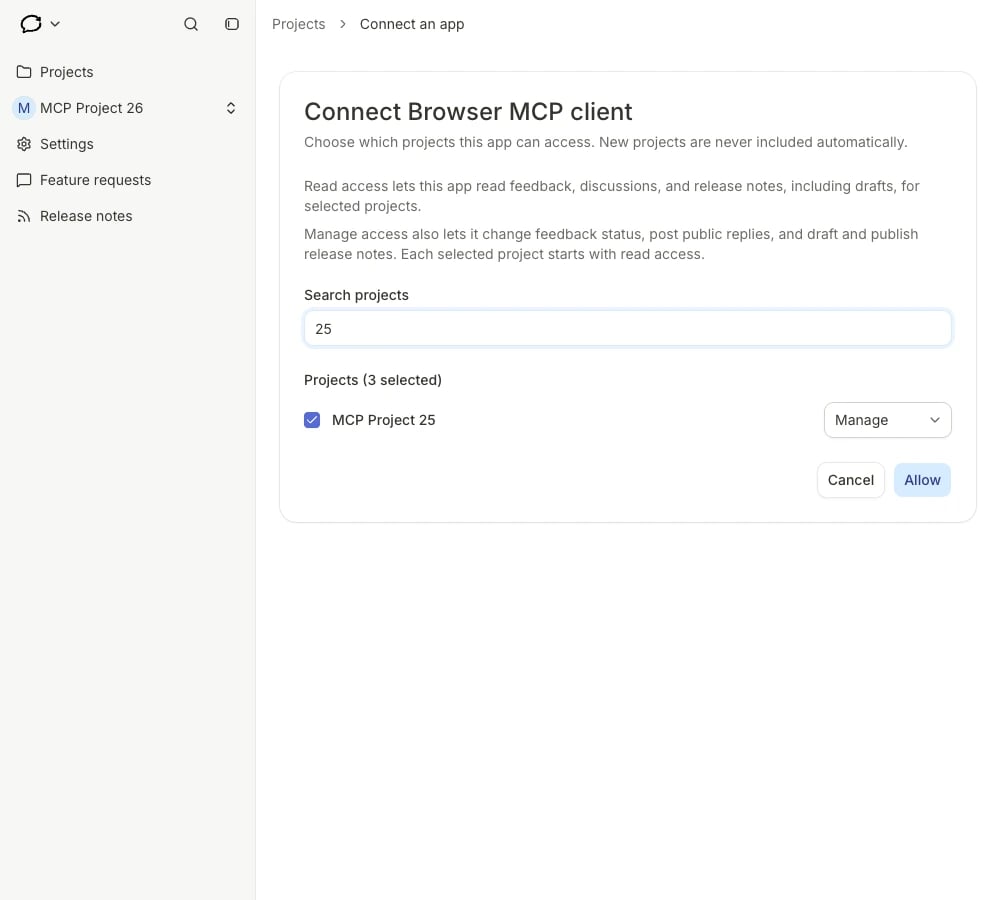
Choose projects and access levels in Feedback Loop. This example connection uses a browser MCP client.
Try a request
- “Review recent feedback for My Project and link the requests behind each theme.”
- “Draft release notes for these changes and leave them unpublished.”
- “Draft a reply to this request for me to review.”
Review or disconnect access
Open account Settings → AI Agents / MCP in Feedback Loop to review connected apps, their projects and access levels. Disconnect revokes the entire approved connection, including all its selected projects. Other independently approved connections remain active. To change projects or access levels, disconnect and reconnect from your app, then approve the new selection.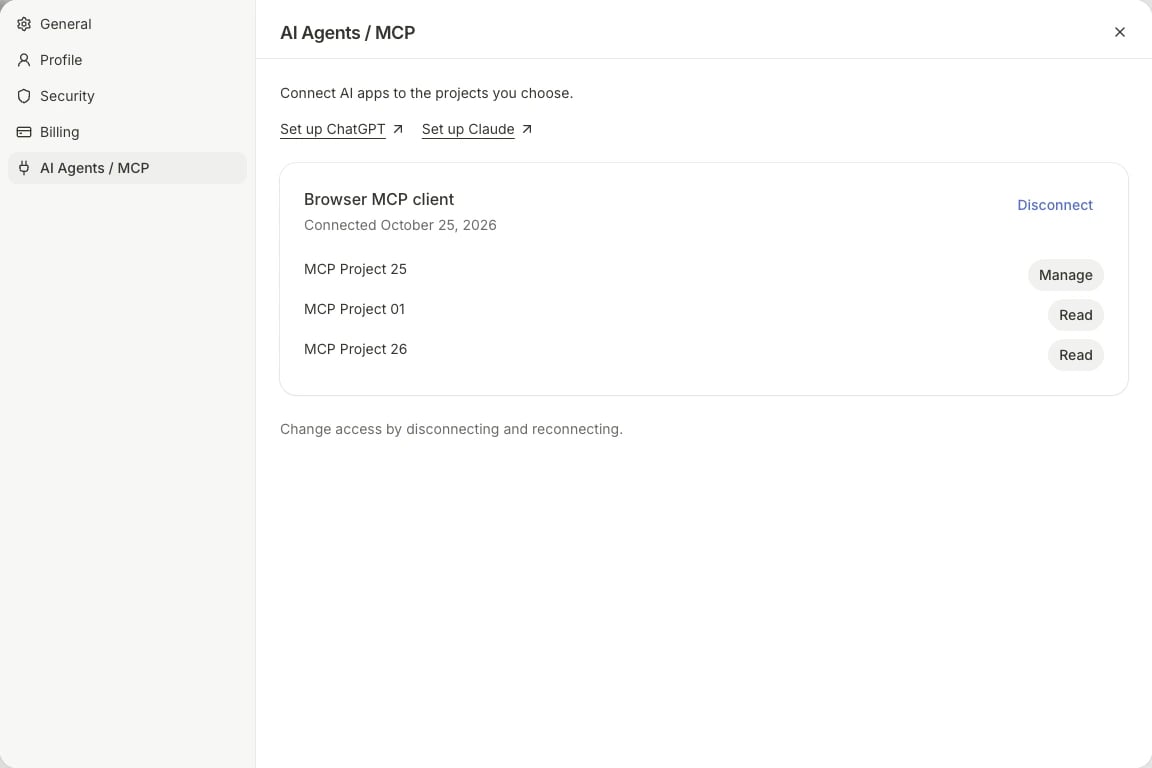
Review approved projects or disconnect the entire connection. An example browser MCP connection is shown.