

Add Feedback Loop
- Open ChatGPT Plugins.
- Select + → Add custom MCP server and name it Feedback Loop.
- Under Connection, enter this server URL:
- Choose OAuth authentication. Open Advanced OAuth settings, confirm Dynamic Client Registration (DCR) and keep the discovered scopes.
- Review the risk warning, select I understand and want to continue, then Create as a plugin.
- Complete Connect Feedback Loop when prompted. Sign in with your Feedback Loop owner account, select projects and choose Read or Manage for each, then approve access.
- Find the resulting plugin in your personal or workspace plugins and install it if needed.
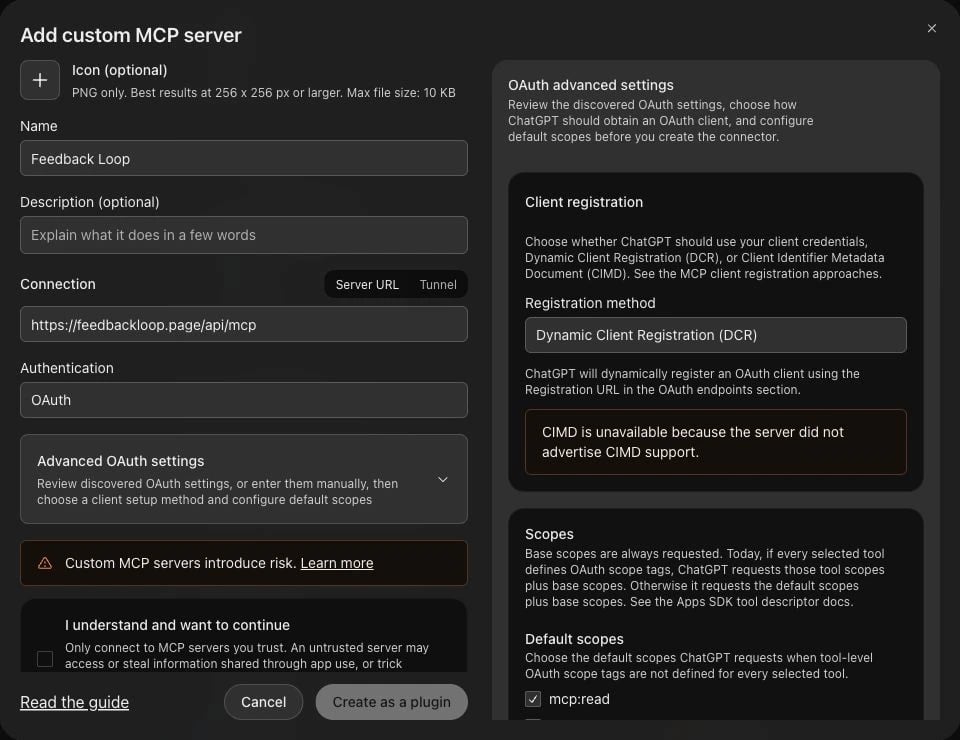
Add the Feedback Loop server in ChatGPT with OAuth and dynamic client registration.
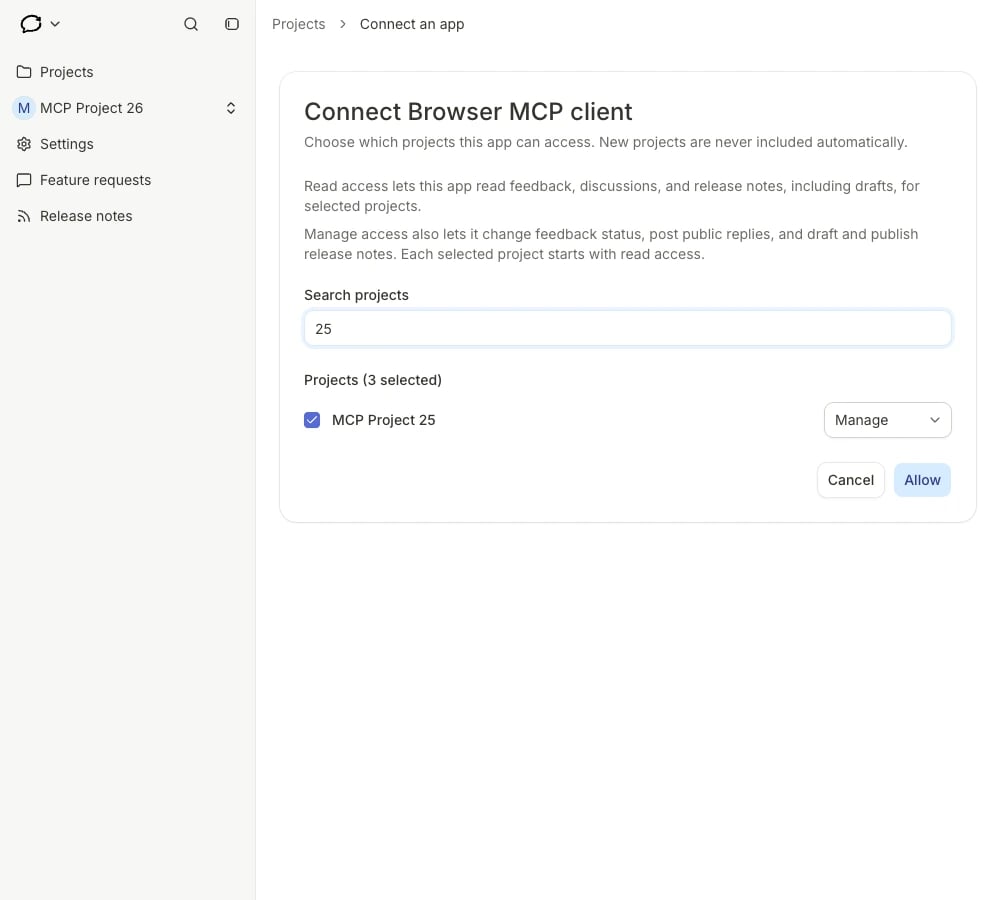
Choose projects and access levels in Feedback Loop. This example connection uses a browser MCP client.
Use it in a conversation
Open the plugin and select Try in chat, or type @ in the prompt box and select the installed Feedback Loop plugin. Start with a connection check:
Call list_projects once and report the available project names and access levels. Do not open feedback, discussions or release drafts, and do not change anything.
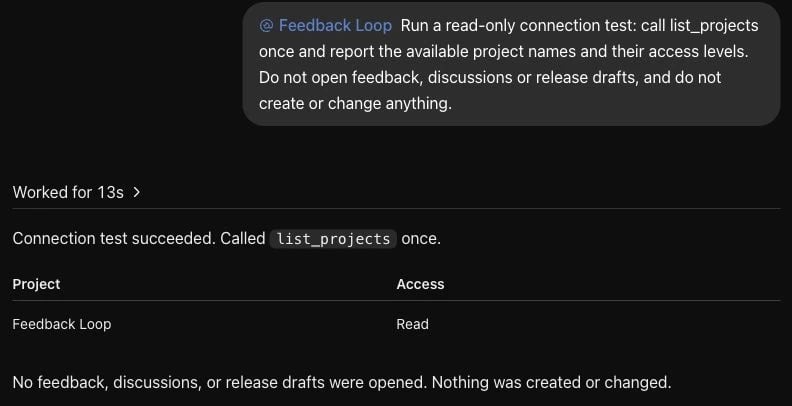
A real ChatGPT connection check returned the approved Feedback Loop project with Read access.